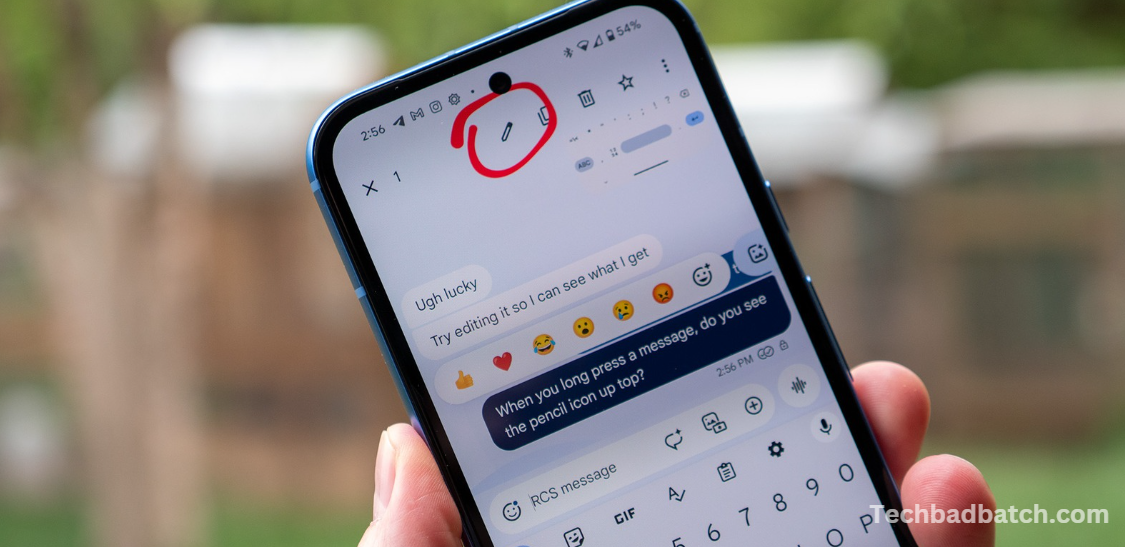
Adjusting to new icons and tools can be a bit of a learning curve with every update, and the latest changes to the Google Messages app are no exception. The app, which is one of the most widely used SMS/RCS messaging platforms on the Google Play Store, is transforming how it displays the status of sent messages. These updates, part of the broader shift toward RCS adoption, modify the familiar indicators for message delivery and read status.
Historically, Google Messages displayed clear text notifications under each message: “Delivered” when the recipient’s device had successfully received the recipient’s and “Read” w” en i” had been opened. However, with recent updates, these text-based indicators are being replaced by icons, providing a more streamlined user experience.
This change is part of an ongoing rollout that introduces a more visual way to track the progress of RCS messages. While this may require some initial adjustment, the update aims to make the messaging experience cleaner and more intuitive for users. As RCS messaging continues to evolve, these icon-based status indicators will help users quickly understand whether their messages have been sent, delivered, or read.
Google Messages has long been the go-to messaging app for Android users, offering a variety of features to streamline text communication. Recently, Google rolled out a noticeable update that changes the icons for “read” and “delivered” message statuses. This subtle update brings a fresh look to the app’s interface, improving user experience and better aligning with modern messaging standards.
Here’s everything you need to know about these changes and what they mean for users.
May you also like it:
Favorite Android Apps To Replace Google Podcasts
Google Pixel 10 Codenames 2025 Report
Google Fumbled The Find My Device Network So Badly
The Oneplus 13 Finally Has A Flat Display
The Old Icon System
Before the update, Google Messages used a simple system of checkmarks to indicate the status of a message:
- One checkmark – The message had been sent successfully but had not yet been delivered to the recipient.
- Two checkmarks – The message had been delivered to the recipient’s device, but not necessarily read.
- Two checkmarks with text – When a message was read, it would be accompanied by a “Read” label along with the timestamp of when the message was seen.
This system was straightforward but not particularly visually distinctive. Over time, as messaging apps evolved, many users began to expect more intuitive and modern icons to help them track message status at a glance. This is where the new icons come in.
What Changed?
In the latest update to Google Messages, the app has revamped the read and delivered status icons to offer clearer and more intuitive visual cues:
- Single Checkmark (Sent) – When a message is sent but has not been delivered to the recipient’s device, you’ll now see a single gray checkmark. This replaces the old “sent” checkmark system, making it visually more uniform with the rest of the message statuses.
- Double Checkmark (Delivered) – Once the message is delivered to the recipient’s device, the checkmarks will now appear as two blue checkmarks (instead of the old gray). This marks the message as delivered successfully. The change in color from gray to blue is a subtle but effective way to make the distinction between sent and delivered more visible.
- Blue Double Checkmarks (Read)—The most significant change occurs when the message is read by the recipient. Instead of a “Read” label with a timestamp, you will now see two blue checkmarks with a subtle color shift to indicate that the message has been read. This gives the status a cleaner, more modern look and removes the need for extra text.
Why the Change?
The update aims to improve the overall user experience by providing a cleaner, more visually consistent messaging interface. Here are a few reasons behind the update:
- Simplicity and Clarity: By using color and a more intuitive icon system, Google aims to make the message statuses clearer without relying on text labels, which can clutter the interface.
- Consistency with Other Messaging Platforms: Many other messaging apps, such as WhatsApp and Facebook Messenger, use a similar system of checkmarks or icons to indicate sent, delivered, and read statuses. By aligning with this convention, Google ensures that users familiar with other platforms will have an easier time interpreting message statuses in Google Messages.
- Aesthetic Improvements: The new icons fit better with the overall design language of modern Android devices, offering a more polished, streamlined aesthetic.
What Does This Mean for Users?
For most users, the change will feel subtle yet helpful. The most significant impact will likely be the shift from the text-based “Read” label to the more elegant blue double-checkmark icon. For those who want to quickly check whether their message has been read, the new visual cue will make this information more apparent at a glance.
There’s also a benefit for users who prefer a cleaner interface: The removal of the timestamp label for read messages reduces clutter. Instead, the icon itself carries all the relevant information.
However, it’s worth noting that the new icon system might require a brief adjustment period for users who were accustomed to the old system. Once users get used to the change, the new look should feel more intuitive and modern.
Frequently Asked Questions
Why are the read and delivered indicators changing in Google Messages?
Google is updating the way message status is displayed to streamline the user interface and make it more visually intuitive. The previous text-based indicators, like “Delivered” and “Read,” are being replaced with icons to provide a cleaner and quicker way to understand the status of your messages.
How do the new icons differ from the old “Delivered” and “Read” labels?
Previously, you would see the words “Delivered” or “Read” beneath a message to indicate its status. The new system replaces these with a more visual format, using checkmark icons and color changes to convey the same information quickly.
When will I see the new icons in Google Messages?
The rollout of these new icons is gradual and is expected to be available to all users with the latest version of Google Messages. Depending on your device and region, it may take some time before the update reaches your app.
Do I need to update the app to see the new icons?
Yes, the new icons are part of a recent update to Google Messages, so you’ll need to ensure that your app is up to date. You can check for updates in the Google Play Store.
Will these icons work the same on all devices?
These icons will primarily work on RCS (Rich Communication Services) messages, which are available on most modern Android devices. If you’re messaging someone who doesn’t have RCS enabled, you may still see the old SMS-style indicators (like “Sent” or “Delivered”).
How can I tell if my message has been read if the checkmarks are not blue?
If both you and the recipient have RCS enabled, the double checkmarks will turn blue when the message has been read. If you don’t see blue checkmarks, it could mean the recipient hasn’t read your message yet or is not using RCS.
Will these changes affect SMS messages?
No, the changes primarily apply to RCS messages. SMS messages will still show basic delivery information, but they won’t use the new checkmark icons or color changes associated with read status.
Conclusion
Google Messages’ new icon system for message delivery and read statuses enhances the app’s usability, offering clearer, more visually distinct icons. The shift to blue checkmarks to indicate message delivery and reading aligns with current trends in messaging apps, ensuring that users have a more consistent and polished experience across different platforms.
If you haven’t received the update yet, it may take some time to roll out to all devices, so keep an eye on the Google Play Store for the latest version of the app. In the meantime, enjoy the improved interface once it arrives on your phone, and look forward to more updates that continue to refine the messaging experience.
