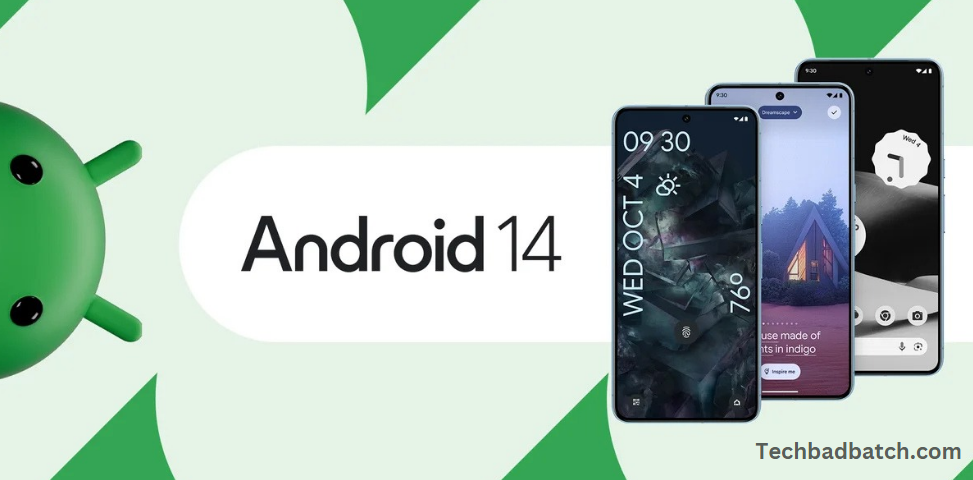
Android 14 is the latest iteration of Google’s Android operating system, bringing a host of new features, improvements, and optimizations to enhance the overall user experience. Released in 2024, Android 14 introduces several exciting changes across various aspects of the platform, including privacy, security, design, performance, and usability. With a focus on customization, accessibility, and deeper integration with AI, Android 14 aims to provide users with more control over their devices, as well as a smoother and more personalized experience.
Notable features include enhanced notification management, more robust privacy settings, and improved battery efficiency. Additionally, the update offers new tools for developers, such as expanded support for foldable and large-screen devices, ensuring that Android remains at the forefront of mobile innovation. Whether it’s through subtle UI tweaks or groundbreaking functionality, Android 14 sets the stage for the next phase of mobile technology, making it a must-have upgrade for Android users.
The release of Android 14 in 2024 marks a significant update in Google’s mobile operating system, bringing with it an array of new features, performance enhancements, and design tweaks aimed at improving the overall Android experience. Whether you’re a tech enthusiast, a developer, or an everyday user, Android 14 introduces a host of innovations that cater to privacy, customization, battery efficiency, accessibility, and more. In this article, we explore the key changes and what they mean for Android users.
Enhanced Privacy and Security
Android 14 continues to build on Google’s commitment to user privacy and security. One of the most significant privacy upgrades in this release is the ability to restrict access to personal data even further. Apps are now required to request permission more explicitly before accessing sensitive information like your health data, photos, and messages. Additionally, Google has strengthened the security measures in place for biometric authentication, making facial recognition and fingerprint scanning more reliable and resistant to spoofing.
More Secure App Permissions: Android 14 introduces a more granular permission system, allowing users to manage app access to files, media, and other system resources with more precision. For example, apps now need to ask for permission to read from shared storage instead of getting blanket access to all files.
Improved VPN and Encryption: With the rise in online threats, Android 14 includes enhanced encryption and better VPN support, making it more secure for users when accessing sensitive data over the internet.
Battery and Performance Optimizations
Battery life continues to be one of the most important concerns for smartphone users, and Android 14 addresses this with a range of optimizations designed to extend your device’s longevity.
Battery Health Improvements: Android 14 introduces a new battery health system that helps optimize the way apps and system processes use power. This feature is especially helpful for users with older devices, as it maximizes battery life and reduces overall wear on the battery.
Adaptive Battery Enhancements: Android 14 refines the adaptive battery feature that intelligently adjusts power usage based on your habits. The operating system can now learn your usage patterns even better and make real-time adjustments, helping apps and services run more efficiently.
Performance Boosts for Older Devices: For users on older devices, Android 14 includes performance improvements that optimize system resources and reduce lag, helping maintain smooth and responsive performance even as the hardware ages.
Customization and Personalization
Android has always been a leader in customization, and Android 14 takes it a step further with more options to tailor your device to your personal preferences.
Theme and Color Updates: The update offers more flexibility with theming, including dynamic color schemes that change with your wallpaper and improved accessibility to contrast and color settings. For those who enjoy visual customization, Android 14 also gives more options for changing the look and feel of the interface, from notification panels to app icons.
Lock Screen Widgets and Customizations: One of the most exciting features in Android 14 is the ability to customize the lock screen with widgets and shortcuts. Now, users can display important information such as weather, calendar events, or fitness stats directly on the lock screen, making it easier to stay informed without unlocking the device.
Advanced Wallpaper Options: Android 14 expands the customization of wallpapers, allowing users to create their own animated or 3D wallpapers using AI-generated images or by personalizing live wallpapers to a greater extent.
Improved Notifications Management
Notifications can sometimes feel overwhelming, but Android 14 introduces a new system for managing them more effectively.
Notification Filtering: Android 14 offers advanced notification controls, allowing users to categorize and filter notifications based on priority. This makes it easier to focus on important alerts while minimizing distractions from less urgent apps.
Enhanced Do Not Disturb Mode: With Android 14, the Do Not Disturb feature is more customizable than ever. Users can configure different profiles for various situations—like work, sleep, or personal time—and customize which notifications will break through.
May you also like it:
Is The Galaxy Watch 5 And 5 Pro Waterproof? What You Need To Know
How To Check Your Samsung Galaxy Phone Battery Health
Google Pixel 10 Codenames 2025 Report
AI and Machine Learning Enhancements
AI is becoming more deeply integrated into Android with each new version, and Android 14 is no exception. From improving voice assistants to enhancing predictive text and app recommendations, AI is set to make Android devices smarter and more intuitive.
AI-Powered Features for Battery and Apps: Android 14 introduces smarter AI features that dynamically adjust your device’s performance based on usage. For example, the AI learns your habits to optimize background app activity, boost battery life, and reduce power consumption during heavy usage periods.
Enhanced Assistant Features: Google Assistant also gets smarter in Android 14, with new voice commands, better contextual understanding, and enhanced natural language processing, making it even easier to interact with your device hands-free.
Support for Foldable and Large-Screen Devices
With the rise of foldable phones and large-screen devices, Android 14 optimizes the operating system for a wide variety of form factors. This update includes enhanced multitasking features, improved app scaling, and better split-screen functionality, making it easier to use larger devices productively and efficiently.
Better Multitasking for Foldables: Android 14 introduces new gestures and window management features that make it easier to switch between apps and multitask on foldable devices. Apps now scale better to different screen sizes, providing a more consistent experience across devices with varying form factors.
Enhanced App Compatibility: Developers are given more tools and support for creating apps that adapt well to foldable displays, including improved APIs for managing screen orientation and app layouts.
Accessibility Improvements
Google has made significant strides in making Android more accessible to users with disabilities, and Android 14 continues this trend with a variety of enhancements.
Hearing and Vision Support: Android 14 introduces a new suite of features aimed at making the platform more accessible to people with hearing and vision impairments. Features like real-time transcription, improved screen readers, and more customizable audio feedback make the Android experience more inclusive.
Gesture Navigation for Accessibility: The update improves gesture navigation, making it easier for people with motor impairments to navigate the device using alternative input methods.
Developer Tools and APIs
For developers, Android 14 offers a wealth of new tools and APIs designed to make app development easier and more efficient.
API Enhancements for App Performance: Android 14 introduces improved APIs that enable developers to create more efficient, faster apps. These include better support for background tasks, faster networking capabilities, and smoother app animations.
New Tools for AI Integration: With the increasing use of AI, Android 14 brings more powerful tools for developers to integrate machine learning into their apps. This includes enhanced APIs for building apps that can adapt and learn from user behavior.
Frequently Asked Questions
What is Android 14?
Android 14 is the latest version of Google’s mobile operating system, released in 2024. It includes new features, privacy improvements, performance optimizations, enhanced customization options, and support for foldable and large-screen devices.
How can I update my device to Android 14?
To update your device to Android 14, go to Settings > System > Software Update. If the update is available for your device, it will show up here, and you can follow the on-screen instructions to install it. Note that not all devices may receive the update immediately, depending on the manufacturer and region.
Will Android 14 be available for my device?
Android 14 is available for devices in Google’s Pixel lineup (such as the Pixel 6, 7, and 8 series) and for other manufacturers that support the update. Typically, flagship phones from brands like Samsung, OnePlus, and Xiaomi also receive Android updates, but the rollout can vary by device and region.
What new privacy features are in Android 14?
Android 14 introduces more granular app permissions, allowing users to control which apps can access their sensitive data, like photos, health information, and location. The update also enhances biometric security, such as fingerprint and face recognition, making it harder to bypass security features. Additionally, there are more robust encryption and VPN support to protect your data online.
How does Android 14 improve battery life?
Android 14 introduces battery health features that help optimize power usage, particularly on older devices. The adaptive battery system learns your usage habits and adjusts system performance accordingly to extend battery life. It also reduces power consumption during periods of low usage, which can help preserve battery health over time.
How does Android 14 improve notifications management?
Android 14 introduces more advanced controls for managing notifications. You can now filter and prioritize notifications, making it easier to focus on what’s important. Additionally, the Do Not Disturb feature has been expanded, allowing users to set different profiles for different situations (like work, personal time, or sleep).
Will Android 14 improve performance on older devices?
Yes, Android 14 includes performance optimizations that make devices run smoother, even on older hardware. These improvements include better memory management, background task optimizations, and reduced lag to maintain a responsive user experience as your device ages.
How does Android 14 support foldable devices?
Android 14 introduces enhanced support for foldable and large-screen devices. The update improves app scaling and multitasking functionality, allowing for a more seamless experience when transitioning between different screen modes (such as from a folded to unfolded state). It also includes better support for app layouts that adapt to various screen sizes and orientations.
Final Thoughts
Android 14 is a significant update that enhances the core features of the operating system while introducing new functionalities designed to make Android devices more innovative, more customizable, and more secure. Whether it’s through improved privacy controls, enhanced battery life, or new personalization options, Android 14 is packed with features that will delight existing users and attract new ones. The updates to foldable support and the emphasis on AI and performance optimizations also ensure that Android remains ahead of the curve in a rapidly evolving mobile landscape.
As with every Android update, Android 14 is shaping up to be a powerful tool for both consumers and developers, setting the stage for the next generation of mobile devices.
