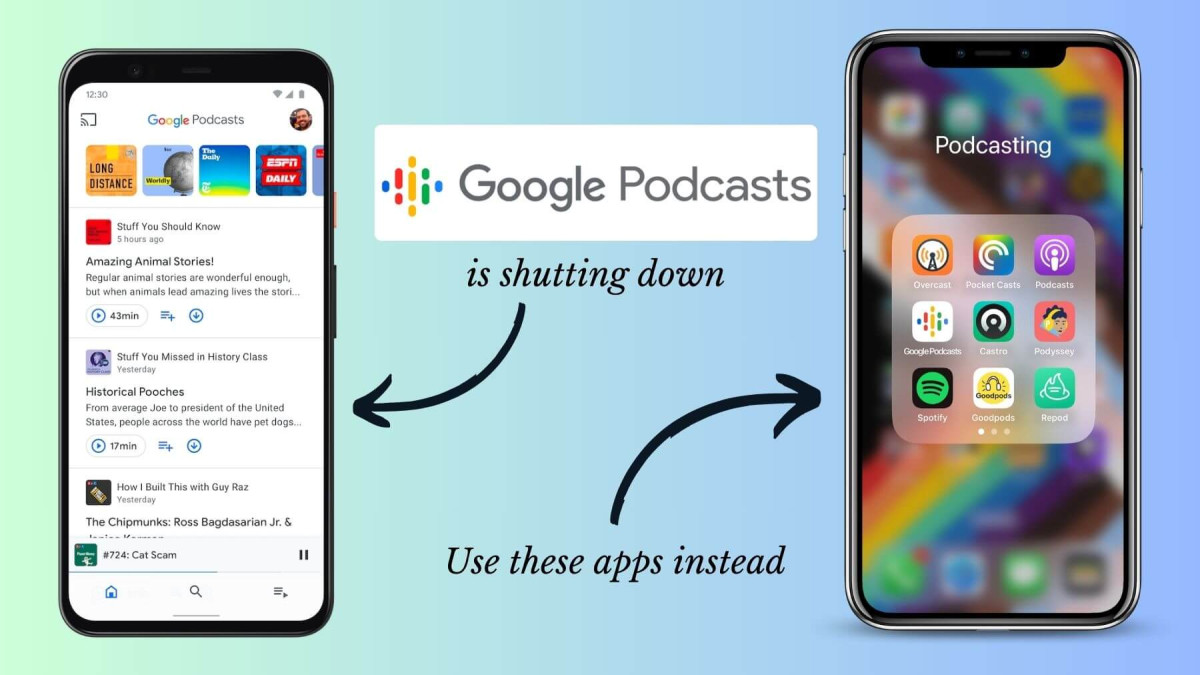
Are you looking for alternatives to Google Podcasts that can elevate your listening experience? Whether you’re seeking a user-friendly interface, unique features, or better content discovery, there are plenty of fantastic apps out there to explore. In this guide, we’ll highlight some of the best Android apps that can seamlessly replace Google Podcasts, catering to different preferences and needs. From advanced playlist management to personalized recommendations, these apps promise to enhance your podcast journey. Let’s dive into the top contenders!
As podcasting continues to grow in popularity, many listeners are looking for alternative platforms to enjoy their favorite shows. While Google Podcasts has been a solid option for many, various other apps offer unique features and experiences. Whether you’re seeking better organization, discovery tools, or a more user-friendly interface, here are some of the best Android apps to consider as replacements for Google Podcasts.
1. Spotify
Overview
Spotify is not just a music streaming service; it has also carved out a significant space for podcasts. With a vast library of shows ranging from true crime to comedy, Spotify’s podcasting features are robust.
Key Features
- Curated Playlists: Spotify offers curated playlists for podcasts, making it easy to discover new content.
- Personalized Recommendations: Based on your listening habits, Spotify suggests podcasts you might enjoy.
- Integration: Enjoy seamless music and podcast integration, allowing for a continuous listening experience.
Pros
- Extensive library of podcasts and music.
- User-friendly interface.
- Ability to create and share playlists.
Cons
- Ad-supported version can be intrusive.
- Limited features without a premium subscription.
2. Pocket Casts
Overview
Pocket Casts is a favorite among serious podcast listeners. Its intuitive design and powerful features make it an excellent choice for managing your podcast library.
Key Features
- Custom Filters: Organize your shows with customizable filters and playlists.
- Cross-Platform Syncing: Listen on different devices without losing your place.
- Playback Speed Control: Adjust playback speed to suit your listening preferences.
Pros
- Clean and easy-to-navigate interface.
- Supports video podcasts.
- Advanced search and discovery features.
Cons
- Some features are behind a paywall in the premium version.
Read more: How To Use Gboard Emoji Kitchen On Android
3. Podcast Addict
Overview
Podcast Addict is a highly customizable app for podcast enthusiasts. It offers a wealth of features that allow users to tailor their listening experience.
Key Features
- Automatic Updates: New episodes download automatically, ensuring you never miss a show.
- Multiple Sources: Supports various podcast sources, including RSS feeds and YouTube channels.
- Built-In Audio Effects: Enhance your listening experience with equalizer settings and volume boost options.
Pros
- Rich feature set with extensive customization options.
- Supports live streaming of podcasts.
- Offline listening capabilities.
Cons
- Interface may feel cluttered for new users.
- Ads in the free version can be distracting.
4. Castbox
Overview
Castbox is known for its user-friendly interface and comprehensive library of podcasts. It’s perfect for casual listeners and podcast enthusiasts alike.
Key Features
- In-audio Search: Find specific topics within episodes using their in-audio search feature.
- Sleep Timer: Set a timer for listening before you sleep.
- Cloud Sync: Sync your subscriptions and listening progress across devices.
Pros
- Simple, clean design.
- Wide variety of shows available.
- Offers audiobooks alongside podcasts.
Cons
- Some features require a premium subscription.
- Ads can be prominent in the free version.
5. Overcast
Overview
While Overcast is primarily known for its iOS version, its web-based interface can be accessed on Android devices through browsers. It’s packed with features that enhance the listening experience.
Key Features
- Smart Speed: Automatically shortens silences, allowing for a more efficient listening experience.
- Voice Boost: Enhances audio quality for clearer listening.
- Custom Playlists: Create playlists of your favorite episodes.
Pros
- Innovative features for optimizing audio.
- Clean, minimal design.
- Great community of users and support.
Cons
- Limited accessibility on Android devices compared to iOS.
- Some features are more tailored for dedicated iOS users.
Frequently Asked Questions
Why should I consider switching from Google Podcasts?
Many users look for alternatives to Google Podcasts that offer better user interfaces, advanced features, or improved content discovery. Apps like Spotify and Pocket Casts offer unique functionalities that might enhance their podcast listening experience.
Are these apps free to use?
Most of these apps offer free versions, but many also have premium options with additional features. For instance, Spotify and Castbox provide ad-supported free tiers, while Pocket Casts and Podcast Addict offer enhanced functionality through subscriptions.
Can I listen to podcasts offline with these apps?
Yes, many of these apps allow you to download episodes for offline listening. This feature is particularly useful for commuting or traveling where internet access may be limited.
Do these apps support video podcasts?
Some apps, like Pocket Casts and Castbox, support video podcasts. If you value video content, be sure to check which platforms offer this feature.
How do I transfer my subscriptions from Google Podcasts?
Most podcast apps allow you to import subscriptions via an RSS feed or by searching for your favorite shows directly within the app. Check the specific app’s settings for import options.
Which app offers the best discovery features?
Spotify and Castbox are known for their robust discovery features. Spotify curates playlists based on your interests, while Castbox includes an in-audio search function to help you find specific topics within episodes.
Can I customize my listening experience?
Yes, apps like Pocket Casts and Podcast Addict offer extensive customization options, such as playback speed control, audio effects, and personalized playlists. This flexibility allows you to tailor the app to your listening preferences.
Are there any ads in these apps?
Most free versions of these apps include ads. Premium subscriptions typically remove ads and may offer additional features. For example, Pocket Casts and Castbox provide ad-free experiences with their paid versions.
Conclusion
Switching from Google Podcasts to a different app can significantly enhance your podcast listening experience. With a variety of alternatives available, each offering unique features, it’s essential to consider what matters most to you—be it ease of use, advanced customization options, or robust content discovery tools.
Apps like Spotify provide extensive libraries and personalized recommendations, while Pocket Casts and Podcast Addict cater to serious listeners with their organizational features and flexibility. Castbox stands out for its user-friendly interface and innovative search capabilities, and Overcast offers excellent audio optimization features, although it’s primarily designed for iOS users.
Ultimately, the right choice will depend on your individual preferences and listening habits. Take the time to explore these options, and you’re likely to find an app that not only meets your needs but also enriches your podcasting journey. Happy listening!
